Don’t Crash
How to Play Don’t Crash
Follow these simple steps to start playing this addictive free online browser game:
- Use your mouse or tap anywhere on the screen to instantly switch lanes.
- Alternatively, use the keyboard keys (such as the Left and Right arrow keys or A and D) to change lanes.
- Your goal is to avoid colliding with the opponent’s car by timely lane changes.
- Keep an eye on the speed as it gradually increases to challenge your reaction time.
- Play on desktop or mobile; touch gestures like tapping work seamlessly on smartphones and tablets.
- Try to survive as many rounds as possible without crashing.
What is Don’t Crash?
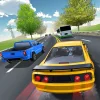
Don’t Crash is an exciting free online browser game that challenges players to race against another car while avoiding collisions. The core objective is simple yet thrilling: do not crash! With addictive gameplay and nerve-wracking tension, this unblocked game tests your reflexes and decision-making skills as you tap or click to switch lanes. It’s designed for quick sessions but keeps you coming back for more as you try to beat your highest rounds. Perfect for both desktop and mobile players, Don’t Crash offers seamless touch and mouse controls for an engaging experience anytime, anywhere.
Gameplay & Features
- Tap or click anywhere on the screen to switch lanes and avoid crashing.
- Race against an AI-controlled car that speeds up as you progress, increasing difficulty.
- Simple yet challenging mechanics that make it easy to learn but hard to master.
- Responsive controls suitable for keyboard, mouse, and touch devices.
- Bright, clean graphics optimized for browser play without lag.
- Fast-paced rounds that test your reaction time and focus.
- Score tracking to challenge yourself and compete with friends.
- Completely free and unblocked, playable on school or work networks.
Related & Series Games
If you enjoy Don’t Crash, you might like Tom and Jerry: Don’t Make a Mess, another engaging browser game that features beloved characters and intuitive controls. This title emphasizes strategic movement and quick reflexes, much like Don’t Crash, but with a fun twist involving classic cartoon chaos. Both games support keyboard and touch controls, making them perfect for players on the go or at a desktop. Playing these games online is seamless and unblocked, ensuring continuous entertainment without interruptions. Dive into these easy-to-pick-up games for quick, fun sessions that test your timing and precision.
Tips & Strategies
- Stay calm and focus on the lane changes rather than speed to avoid panic mistakes.
- Tap or click early to switch lanes smoothly before the AI car approaches.
- Practice timing your lane switches to get used to the increasing speed.
- Use headphones to catch subtle audio cues that indicate an approaching crash risk.
- Play in a distraction-free environment to maximize concentration and reaction time.
- Try to anticipate the opponent car’s moves, as patterns may emerge during the race.
Game Elements
- Two racing cars: the player’s car and the opponent’s AI car.
- Multiple lanes for switching to avoid collisions.
- Simple user interface with minimal distractions.
- Score counter to track rounds survived.
- Responsive input detection for mouse clicks, taps, and keyboard shortcuts.
- Sound effects that enhance gameplay tension.
FAQ
Is Don’t Crash free to play?
Yes, it is completely free and accessible online.
Can I play Don’t Crash unblocked at school or work?
Yes, the game is unblocked and works on most networks.
What controls are supported?
You can use mouse clicks, taps on mobile devices, or keyboard inputs.
Does Don’t Crash require downloads?
No, it is a browser game playable instantly without downloads.
Is it compatible with mobile devices?
Yes, it supports touch controls for smartphones and tablets.