Madalin Stunt Cars 3
How to Play Madalin Stunt Cars 3
Use the keyboard for precise control of your vehicle in this fast-paced stunt car browser game. Below are the key controls:
- W / UP Arrow: Accelerate forward
- S / DOWN Arrow: Brake or reverse
- A / LEFT Arrow: Steer left
- D / RIGHT Arrow: Steer right
- SPACEBAR: Use the e-brake for sharp turns and drifts
- F: Activate nitro boost for extra speed
- LEFT SHIFT: Hold to charge and use nitrous boost
- C: Change camera view to get different perspectives
- T: Show your position and other players on the map
- R: Respawn your vehicle if stuck or crashed
On mobile devices, use on-screen touch controls to steer, accelerate, brake, and activate nitro. Tilt or swipe gestures may be supported depending on your device for immersive driving. Tap the camera icon to switch views and the map icon to check positions.
Start racing and pulling off stunts now to dominate the leaderboards in this free, unblocked online game!
What is Madalin Stunt Cars 3?
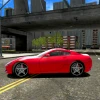
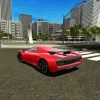
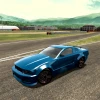
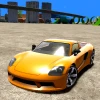
Madalin Stunt Cars 3 is a thrilling free online 3D stunt car browser game that lets you perform spectacular stunts while competing against other players in real-time. With over 30 different cars to choose from, players can race across three unique locations: an urban cityscape filled with ramps and tight corners, an open countryside allowing for high-speed runs, and a stunt-packed arena designed for extreme tricks and crashes. The game features realistic graphics and smooth controls, providing an immersive racing experience. Customization options allow you to personalize your vehicle with various paint jobs, making your car truly stand out on the track.
Gameplay & Features
- Choose from more than 30 customizable cars each with unique handling and stats.
- Race in three diverse environments: city, countryside, and stunt arena.
- Perform epic stunts, flips, and crashes with realistic car damage effects.
- Engage in multiplayer races with real players from around the world online.
- Use nitro boosts to gain speed and outpace competitors.
- Switch between multiple camera angles for optimal driving views.
- Enjoy smooth keyboard controls optimized for WASD and arrow keys.
- Free to play and unblocked in most browsers without downloads.
- Responsive gameplay suitable for both desktop and mobile browser play.
Related & Series Games
Explore other exciting titles in the Madalin series that offer similar adrenaline-pumping racing experiences. Madalin Cars Multiplayer provides a vast open-world environment for racing and exploration with friends. Madalin Cars Multiplayer C and Madalin Cars Multiplayer B expand on multiplayer mechanics with additional cars and maps, perfect for fans of competitive racing. For those who loved the stunt challenges, Madalin Stunt Cars 2 offers enhanced physics and new stunt arenas to master. All these browser games support keyboard and touch controls, making them accessible for various devices and play styles.
Tips & Strategies
- Master the use of nitro boosts to gain speed on straightaways and recover quickly from crashes.
- Practice sharp turns using the e-brake (SPACEBAR) to maintain control in tight corners.
- Experiment with different cars to find the one that best fits your driving style and stunt preferences.
- Use the map (T key) to track opponents and plan overtaking strategies.
- Switch camera views (C key) to get better perspectives on jumps and stunts.
- Respawn (R key) if stuck or after a crash to quickly get back into the race.
Game Elements
- Vehicles: Diverse selection of cars including sports cars, muscle cars, and stunt vehicles.
- Maps: Urban cityscape, open countryside, and stunt arena each with ramps, loops, and obstacles.
- Controls: WASD or arrow keys for movement, SPACEBAR for e-brake, F for nitro boost.
- Customization: Multiple paint jobs to personalize cars.
- Multiplayer: Real-time online racing with other players.
- Damage system: Realistic car damage from crashes affects performance.
FAQ
Is Madalin Stunt Cars 3 free to play?
Yes, it is completely free and accessible online without any payment.
Can I play it on mobile devices?
Yes, the game supports browser play on both desktop and mobile with touch controls.
Is the game unblocked?
Madalin Stunt Cars 3 is generally available as an unblocked browser game suitable for schools and work.
Do I need to download anything?
No, it runs directly in your web browser without downloads or installations.
Can I play multiplayer?
Yes, you can race and stunt with other players online in real-time.