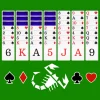
Yukon Solitaire
Description
What is Yukon Solitaire?
Yukon Solitaire is an engaging variant of the classic Klondike Solitaire, offering a fresh twist on the beloved card game. Unlike traditional solitaire games, Yukon allows players to move groups of uncovered cards as a unit, regardless of sequence, adding a strategic layer to gameplay. This free, online, unblocked browser game invites players to enjoy hours of challenging fun without downloads or installations. Perfect for both desktop and mobile users, Yukon Solitaire delivers smooth touch and mouse controls for an accessible experience anytime, anywhere.
Gameplay & Features
- Move cards by clicking, tapping, dragging, or using keyboard shortcuts for fluid gameplay.
- Group moves of uncovered cards regardless of their order, unlike classic Klondike.
- Clear all cards from the tableau to the four foundation piles to win.
- Free to play online with no downloads or registration required.
- Unblocked browser game suitable for schools and workplaces.
- Responsive design optimized for both desktop and mobile devices.
- Simple, intuitive interface with clean graphics for easy navigation.
- Includes standard deck of 52 playing cards with familiar suits and ranks.
- Offers unlimited undo moves to refine your strategy.
- Timer and move counter to track your progress and challenge yourself.
Related & Series Games
Explore more solitaire variations and card games that sharpen your skills and keep the fun going. Each game is designed for seamless keyboard and touch controls, making them perfect for quick sessions or longer play.
- Klondike Solitaire - The classic solitaire game that inspired Yukon Solitaire, featuring traditional rules and addictive gameplay.
- FreeCell Solitaire - A strategic solitaire variant emphasizing planning and foresight with an open card layout.
- Spider Solitaire - A challenging game involving building sequences of cards in descending order within the tableau.
- Pyramid Solitaire - A unique solitaire where you remove pairs of cards that add up to thirteen, testing your memory and speed.
Tips & Strategies
- Plan your moves ahead, focusing on uncovering hidden cards to maximize your options.
- Move larger groups of cards together to free up tableau spaces efficiently.
- Prioritize moving cards to the foundation piles only when it doesn't block other potential moves.
- Use the undo button liberally to experiment with different strategies without penalty.
- Keep an eye on the timer and move counter to improve your speed and efficiency.
- Take advantage of the game’s drag-and-drop and tap controls for faster card manipulation.
Game Elements
- Standard 52-card deck with four suits: hearts, diamonds, clubs, and spades.
- Tableau piles where cards are arranged in overlapping stacks.
- Foundation piles where cards are moved in ascending order by suit to win.
- Stock and waste piles for managing remaining cards (depending on variant rules).
- Interactive UI elements including drag-and-drop, tap, and click controls.
- Undo and hint buttons to assist gameplay.
FAQ
- Is Yukon Solitaire free to play? Yes, it is completely free to play online with no hidden costs.
- Can I play Yukon Solitaire on my phone or tablet? Absolutely, the game is optimized for both desktop and mobile browsers with touch support.
- Is Yukon Solitaire unblocked for school or work? Yes, it is an unblocked browser game accessible from most networks.
- Do I need to download any software? No downloads are required; simply play now directly in your browser.
- What controls can I use? You can use mouse clicks, drag-and-drop, keyboard keys like WASD, and mobile gestures such as tapping and swiping.
Instructions
How to Play Yukon Solitaire
Follow these simple steps to enjoy Yukon Solitaire:
- Use your mouse or finger to click, tap, or drag cards to move them from the tableau to the foundation piles.
- You can move groups of uncovered cards together regardless of their order by dragging the entire group.
- Use keyboard keys (WASD) to navigate cards: W to move cards up, A and D to move left or right, and S to place cards in foundations.
- Tap a card once to select it, then tap the destination pile to move it on touch devices.
- Use the undo button to reverse your last move if needed.
- Clear all cards from the tableau to the foundation piles to win the game.