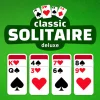
Classic Solitaire Deluxe
How to Play Classic Solitaire Deluxe
- Use your mouse or tap on your touchscreen to select and drag cards.
- Click or tap a card to pick it up, then drag it to a valid position in the tableau or foundation piles.
- You can switch between drawing 1 card or 3 cards from the stock pile by using the settings menu.
- Keyboard controls: Use arrow keys or WASD to navigate cards and Enter or Space to select and move.
- On mobile, swipe to scroll through cards and tap to select; drag cards with your finger to move them.
- Try to organize cards in descending order and alternating colors on the tableau.
- Move cards to the foundation piles starting with the Ace and progressing to the King in each suit.
- Use the layout option to align the tableau left or right for your viewing preference.
- Keep an eye on your statistics to track wins, moves, and time.
- Play now for free in your browser with no installation required.
What is Classic Solitaire Deluxe?
Classic Solitaire Deluxe is a free, online browser game that brings the timeless card game experience directly to your computer or mobile device. This unblocked version allows you to play now without any downloads or restrictions, perfect for casual play at home or on the go. The game faithfully replicates traditional Solitaire rules where your goal is to move all cards from the tableau to the foundation piles in ascending order by suit. It offers a polished interface with customizable layouts and card draw options, making it accessible for both beginners and seasoned players.
Gameplay & Features
- Choose between 1 card or 3 card draw modes to adjust difficulty and pacing.
- Switch the layout alignment to left or right to suit your screen or play style.
- Drag and click cards easily with mouse or touch controls for intuitive gameplay.
- Track your statistics over time to monitor your progress and improve your skills.
- Enjoy smooth animations and responsive controls optimized for both keyboard and touchscreen devices.
- Play instantly in any modern browser without the need for installations or plugins.
- Access the game anytime as it is fully unblocked and free to play online.
Related & Series Games
If you enjoy Classic Solitaire Deluxe, you might also like other browser games that offer engaging gameplay with simple controls. Clash Of Tanks lets you experience strategic tank battles with keyboard and mouse controls perfect for quick reflexes. For creative builders, Minecraft Classic provides a sandbox environment where you can craft and explore using intuitive touch or keyboard inputs. Puzzle lovers will appreciate Puzzle Blocks Classic, a block-matching game designed for smooth play with keyboard arrows or swipes on mobile. Lastly, 10x10! Classic challenges your spatial skills in a simple yet addictive block placement game, optimized for both touchscreens and keyboard navigation.
Tips & Strategies
- Start with the 1 card draw mode to familiarize yourself with card positions and moves.
- Use the statistics tracker to identify recurring mistakes and adjust your strategy.
- Prioritize uncovering hidden cards in the tableau to increase your options.
- Try to keep foundation piles balanced by suit to avoid blocking moves.
- Experiment with left or right layout alignment to find the most comfortable setup for your device.
- Practice regularly to improve your speed and decision-making skills.
Game Elements
- Standard 52-card deck with four suits: hearts, diamonds, clubs, and spades.
- Tableau piles where cards are arranged in descending order and alternating colors.
- Foundation piles that you fill by moving cards in ascending order by suit.
- Stock pile for drawing cards one or three at a time depending on the selected mode.
- Drag-and-drop and click controls compatible with mouse, keyboard shortcuts, and touch gestures.
FAQ
Is Classic Solitaire Deluxe free to play?
Yes, it is completely free and accessible online.
Can I play Classic Solitaire Deluxe on mobile devices?
Absolutely, it supports touch controls and responsive design.
Is the game unblocked at school or work?
Yes, this version is unblocked and playable on most networks.
Do I need to download any software?
No downloads are required; it runs directly in your browser.
Can I track my progress?
Yes, the game tracks detailed statistics to help improve your skills.