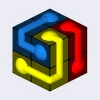
Poly Art 3D
How to Play Poly Art 3D
Follow these simple steps to master Poly Art 3D:
- Desktop Controls: Use your mouse to click and drag the magic cloud to spin it in any direction.
- Keyboard Controls: Press the arrow keys or WASD keys to rotate the cloud incrementally for precise adjustments.
- Mobile Controls: Swipe your finger across the screen to rotate the cloud smoothly in 3D space.
- Observe the shape carefully as you rotate to identify how the pieces align.
- Continue rotating until the poly art figure is fully assembled and coherent.
- Use the reset button if you want to start over or correct mistakes.
- Play now and enjoy the relaxing challenge of completing each puzzle.
What is Poly Art 3D?
Poly Art 3D is a captivating free online browser game where players engage in restoring intricate poly art figures by rotating a magical cloud. The objective is to manipulate the cloud until the fragmented shapes align perfectly, revealing a completed 3D figure. This unblocked game provides a relaxing yet stimulating puzzle experience suitable for all ages, playable on desktop and mobile devices. Its minimalist design and smooth controls make it accessible for quick play sessions or extended puzzle-solving challenges.
Gameplay & Features
- Intuitive rotation mechanics using mouse drag or touch gestures to spin the magic cloud.
- Multiple poly art figures to complete, each with increasing complexity.
- Simple controls optimized for both keyboard (arrow keys or WASD) and touch devices.
- Clean, low-poly 3D graphics that emphasize the artistic aspect of each puzzle.
- Instant feedback and smooth animations enhance user engagement.
- Free and unblocked access ensures players can play now without restrictions.
Related & Series Games
If you enjoy Poly Art 3D, you'll appreciate similar browser games that challenge your spatial reasoning and puzzle-solving skills. Poly Art 2D offers a flat puzzle experience with equally mesmerizing designs and touch-friendly controls. For a more dynamic challenge, Poly Spin lets you rotate complex shapes with keyboard or mouse, requiring precision and timing. Shape Align focuses on aligning geometric pieces in a limited time, perfect for players seeking fast-paced puzzle action. These games maintain the easy-to-learn controls and relaxing gameplay that make Poly Art 3D so addictive and enjoyable across all platforms.
Tips & Strategies
- Use slow, steady rotations to better visualize the shape from all angles.
- On desktop, click and drag the mouse for precise control; on mobile, use single-finger swipe gestures.
- Focus on matching distinct edges or vertices first to reduce complexity.
- Take breaks if you feel stuck—sometimes viewing the figure from a fresh perspective helps.
- Practice regularly to improve spatial awareness and speed.
Game Elements
- Magic Cloud: The central rotating object players manipulate to complete the figure.
- Poly Art Figures: Low-poly 3D models that players reconstruct.
- Rotation Controls: Mouse drag, keyboard arrows or WASD, and touch swipe gestures.
- User Interface: Minimalist HUD showing progress and reset options.
FAQ
Is Poly Art 3D free to play?
Yes, it is completely free and accessible online.
Can I play it on any device?
Yes, it supports both desktop browsers and mobile touchscreens.
Is the game unblocked at school or work?
Yes, it is an unblocked browser game suitable for most networks.
Do I need to download anything?
No downloads are required; just open your browser and play now.
What controls does it use?
Mouse, keyboard (WASD/arrows), and touch gestures for mobile devices.