Obby Parkour Ultimate
How to Play Obby Parkour Ultimate
Playing Obby Parkour Ultimate is simple and intuitive, designed for both desktop and mobile users.
- Desktop Controls: Use the WASD keys to move your character forward, backward, and sideways.
- Move your mouse to look around and adjust your camera angle for precise jumps and better navigation.
- Jump by pressing the Spacebar to leap over platforms and avoid obstacles.
- Mobile Controls: Use the on-screen joystick to control movement.
- Tap the on-screen jump button to perform jumps.
- Swipe or drag on the screen to change your viewing angle and better judge distances.
Practice timing and positioning to complete all 35 challenging levels and unlock new characters as you progress. Play now for free in your browser and enjoy seamless parkour action anywhere!
What is Obby Parkour Ultimate?
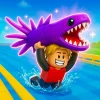
Obby Parkour Ultimate is a thrilling 3D parkour skill game that challenges players to master 35 unique levels filled with diverse mechanics. This free online browser game offers a hardcore parkour experience where you control your favorite Obby and Mine characters to jump, dodge spikes, and navigate tricky platforms. Designed for both desktop and mobile play, it delivers smooth controls and engaging gameplay that keeps you coming back for more. Whether you’re a casual player or a parkour enthusiast, this unblocked game is perfect to play now anytime, anywhere.
Gameplay & Features
- 35 distinct levels with escalating difficulty and varied obstacles
- Realistic 3D parkour mechanics focusing on precision jumping and timing
- Multiple playable characters from Obby and Mine universes to unlock
- Dynamic environments with spikes, moving platforms, and challenging jumps
- Responsive controls using WASD and mouse on desktop or screen joysticks on mobile
- Engaging skill-based gameplay encouraging quick reflexes and strategic movement
- Free and unblocked to access in any browser without downloads or installations
Related & Series Games
If you enjoy Obby Parkour Ultimate, try Italian Brainrot Obby Parkour for a quirky twist on traditional parkour with unique level designs and keyboard-friendly controls. Obby On a Bike combines parkour with biking mechanics, offering a fresh take on obstacle navigation that is perfect for touch screens. Fans of classic obby challenges will love Obby Game, which emphasizes fast-paced platforming and precision jumps using simple WASD movement. For those who want vertical challenges, Obby Tower Parkour Climb provides intense climbing action with tight controls optimized for both keyboard and mobile devices. Each of these web-based browser games complements the Obby Parkour Ultimate experience with varied gameplay and intuitive controls.
Tips & Strategies
- Practice timing your jumps carefully to avoid spikes and moving obstacles.
- Use smooth mouse movement to adjust your camera angle and better judge distances.
- Memorize tricky sections to improve speed and reduce mistakes.
- Unlock new characters to keep gameplay fresh and explore different styles.
- Stay patient and focus on precision rather than rushing through levels.
Game Elements
- Characters: Select from multiple Obby and Mine avatars, each with unique appearances.
- Platforms: Static and moving platforms that require precise jumps and timing.
- Obstacles: Spikes, gaps, and other hazards to evade while progressing.
- Controls: WASD keys for movement and mouse for camera on desktop; touch joysticks and buttons on mobile.
- Levels: 35 progressively challenging stages with varied parkour mechanics.
FAQ
Is Obby Parkour Ultimate free to play?
Yes, it is a free online browser game available to play now without any cost.
Can I play it on mobile devices?
Absolutely, it supports touch controls with screen joysticks and buttons for a smooth mobile experience.
Is the game unblocked for school or work?
Yes, Obby Parkour Ultimate is unblocked and accessible on most networks.
Do I need to download anything?
No downloads are required; just open your browser and start playing instantly.
What controls are used on desktop?
Use WASD keys to move and the mouse to look around and aim your jumps.