Drive Mad: Monster
How to Play Drive Mad: Monster
Mastering Drive Mad: Monster is all about precise control and timing. Use the following controls to navigate through the challenging stages:
- Steer Forward: Press W, D, X, Up arrow, Right arrow keys, or click the mouse/tap on the right side of the screen on mobile devices.
- Steer Backward: Press S, A, Z, Down arrow, Left arrow keys, or click/tap on the left side of the screen on mobile devices.
Keep the gas pedal pressed down to maintain speed and maneuver your monster truck carefully to avoid obstacles. Practice switching between forward and backward steering to handle tight turns and tricky terrain. The game’s responsive controls allow smooth driving whether you use a keyboard, mouse, or touch screen. Play now and improve your driving talents with each level!
What is Drive Mad: Monster?
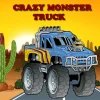
Drive Mad: Monster is an exhilarating free online browser game that challenges your driving skills through various intense stages. This unblocked game invites players to master the art of controlling a monster truck by keeping the gas pedal pressed and steering precisely. Designed for both keyboard and touch controls, it offers a thrilling driving experience that tests your reflexes and precision. Whether you're a casual gamer or a driving enthusiast, Drive Mad: Monster is an engaging way to improve your vehicle handling in a fun, accessible format.
Gameplay & Features
- Multiple challenging phases requiring precise steering and acceleration control.
- Simple yet responsive controls using keyboard keys (WASD, arrow keys) and mouse clicks.
- Supports smooth gameplay on desktop browsers and mobile devices with touch controls.
- Dynamic monster truck physics delivering realistic driving sensations.
- Free to play online with instant access—no downloads or installations needed.
- Unblocked access suitable for schools and workplaces.
- Progressively difficult levels to continuously improve your driving talents.
- Engaging audio and visual effects enhancing the immersive experience.
- Score-based gameplay encourages replayability and skill mastery.
Related & Series Games
If you enjoy Drive Mad: Monster, you’ll love exploring its related titles that expand on the core driving mechanics. Drive Mad offers a similar adrenaline rush with more vehicle options and terrain challenges. Ultimate Car Driving delivers an open-world driving experience with detailed controls perfect for keyboard and touch inputs. For a more casual yet fun ride, Noob Drive provides a sandbox-style environment to experiment with different cars and stunts. When the season changes, Drive Mad: Winter spices things up with icy tracks and slippery challenges that test your control under harsh conditions. All these browser games are free, unblocked, and designed for seamless play now experiences.
Tips & Strategies
- Keep your gas pedal pressed steadily to maintain momentum across obstacles.
- Use gradual steering movements to avoid overcorrecting and losing control.
- Practice switching between forward and backward steering keys to navigate tricky sections.
- Utilize mouse clicks or touch input for quicker response times on mobile devices.
- Observe terrain changes carefully and adjust your speed accordingly.
- Replay levels to improve your timing and precision for higher scores.
Game Elements
- Monster truck vehicle with realistic physics.
- Gas pedal and steering wheel controls mapped to keyboard and mouse/touch.
- Multiple levels with increasing difficulty and varied obstacles.
- Score tracking system encouraging skill development.
- Visual and sound effects enhancing gameplay immersion.
FAQ
Is Drive Mad: Monster free to play?
Yes, it is completely free and accessible online.
Can I play Drive Mad: Monster unblocked?
Absolutely, the game is designed to be unblocked for schools and workplaces.
What devices support this game?
It runs smoothly on desktop browsers and mobile devices with keyboard or touch controls.
Do I need to download anything?
No downloads are required; you can play directly in your browser.
How do I control the vehicle?
Use keyboard keys (WASD, arrow keys) or mouse/touch controls to steer and accelerate.