Noob Drive
How to Play Noob Drive
Mastering Noob Drive is easy with these controls:
- Drive Forward/Backward: Press W or the Up arrow key to accelerate, and S or the Down arrow key to brake or reverse.
- Steer Left/Right: Use A or the Left arrow key to steer left, and D or the Right arrow key to steer right. These controls help balance your car during jumps.
- Nitro Boost: Hold the Shift key to activate nitro for a temporary speed boost, ideal for clearing gaps.
- Restart Level: Press the R key anytime to restart the current level quickly after a crash.
On mobile devices, you can use on-screen touch buttons that mimic these controls, such as virtual arrows for steering and acceleration, and a nitro button for boosts. Practice balancing your car mid-air by adjusting steering inputs to land safely and maintain speed.
What is Noob Drive?
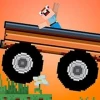
Noob Drive is a thrilling free online browser game featuring fast-paced car driving with charming blocky graphics. Players must race against time to reach the destination point as quickly as possible, navigating through challenging cliffs and gaps. The game emphasizes balancing your vehicle mid-air using precise steering controls to land safely on wheels and maintain speed. Collecting coins scattered across 48 exciting levels unlocks unique and stylish car skins, adding personalization and replay value. This unblocked game is perfect for players looking for an engaging, skill-based driving experience in their browser without downloads.
Gameplay & Features
- 48 progressively challenging levels with increasing difficulty.
- Simple yet responsive controls using keyboard: W/S or Up/Down to drive, A/D or Left/Right to steer.
- Nitro boost feature activated by Shift key for speed bursts.
- Realistic physics requiring careful mid-air balancing to avoid crashes.
- Coin collection system to unlock and buy multiple unique car skins.
- Restart option with R key for quick retries after crashes.
- Engaging blocky aesthetic that appeals to casual and hardcore players alike.
- Competitive aspect encourages sharing scores with friends to find the fastest driver.
- Completely free and unblocked for easy play in school or work environments.
- Browser-based for instant access without installation.
Related & Series Games
If you enjoy the skill-based mechanics of Noob Drive, you might love Noob Hook, another popular free browser game that challenges your precision and timing. Noob Hook focuses on swinging and navigating through levels by attaching a grappling hook, requiring sharp reflexes and strategic movement. Both games support keyboard controls and offer addictive gameplay suited for quick sessions or longer challenges. Playing these games online unblocked ensures you can enjoy seamless gaming anywhere, anytime. Dive into the Noob series to test your coordination and reaction skills with engaging physics-based puzzles and stunts.
Tips & Strategies
- Master the timing of your jumps and steering to land perfectly on your wheels.
- Use the nitro boost strategically on straight stretches to gain maximum speed.
- Collect all coins in each level to unlock cool skins and enhance your driving style.
- Restart quickly with the R key after a crash to improve your time on subsequent attempts.
- Practice balancing mid-air by gently adjusting steering keys to avoid losing speed.
- Watch out for dangerous cliffs and gaps; rushing without control often leads to destruction.
- Share your best times with friends to create friendly competition and improve your skills.
Game Elements
- Steering controls (A/D or Left/Right arrow keys) for precise vehicle balance.
- Acceleration and braking (W/S or Up/Down arrow keys) to control speed.
- Nitro boost (Shift key) for extra speed bursts.
- Coins scattered throughout levels for in-game currency.
- Multiple car skins unlocked through coin collection.
- Physics-based terrain with cliffs, gaps, and ramps.
- Restart functionality (R key) for quick retries.
FAQ
Is Noob Drive free to play?
Yes, Noob Drive is completely free to play online.
Can I play Noob Drive online unblocked?
Absolutely, the game is designed to be unblocked and accessible in most environments.
Do I need to download anything?
No, Noob Drive is a browser game and requires no downloads or installations.
What controls do I use to play?
Use W/S or Up/Down arrows to drive, A/D or Left/Right arrows to steer, Shift for nitro, and R to restart.
Can I play Noob Drive on mobile devices?
The game is primarily designed for keyboard controls, but some browsers may support touch controls.