Blumgi Rocket
Description
What is Blumgi Rocket?
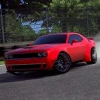
Blumgi Rocket is an exciting free online platform browser game where you control a rocket-powered car racing through vibrant and challenging courses. Players navigate colorful levels filled with hills, slopes, tunnels, and mountains, driving at rocket-fast speeds. The game features smooth slow motion animations when firing rockets, adding a visually appealing effect to the gameplay. As you progress, you unlock new vehicle skins, enhancing the customization experience. Blumgi Rocket combines fast-paced driving with stunt performance mechanics, making it thrilling and engaging for players of all ages.
Gameplay & Features
- Drive a rocket-powered car through diverse colorful levels with obstacles and terrain variations.
- Use rocket boosts with a power meter that charges the longer you hold the rocket button.
- Perform mid-air stunts to complete levels faster and impress virtual fans.
- Unlock and customize vehicle skins by finishing levels and progressing through the game.
- Enjoy smooth slow motion effects during rocket firing for immersive gameplay.
- Simple and responsive controls compatible with keyboard and touch devices.
- Challenge yourself to master speed and stunt combos for high scores.
- Free and unblocked browser game accessible on multiple platforms.
Related & Series Games
If you enjoy Blumgi Rocket, try other engaging titles in the Blumgi series. Blumgi Merge offers a puzzle merging experience that is perfect for fans looking to relax and strategize using keyboard or touch controls. Blumgi Paintball delivers fast-paced action with paintball battles, featuring intuitive controls suitable for both desktop and mobile players. For those who love creativity, Blumgi Bloom allows you to cultivate colorful gardens with interactive gameplay mechanics. Lastly, Blumgi Slime brings a fun slime-themed adventure that combines exploration and puzzles, all playable directly in your browser. These games maintain the same easy-to-learn controls and vibrant art style to keep you entertained online.
Tips & Strategies
- Hold down the rocket button longer to gain maximum boost power and speed through tricky sections.
- Use the slow motion effect strategically to time your stunts and land safely.
- Master the controls by practicing smooth acceleration and braking with W/S or Up/Down keys.
- Try to perform stunts mid-air to shave seconds off your finishing time and earn bonus points.
- Unlock all vehicle skins by completing levels to personalize your gameplay experience.
- Replay levels to improve your times and refine your stunt techniques.
Game Elements
- Rocket-powered car as the main vehicle.
- Obstacles including hills, slopes, tunnels, and mountainous terrain.
- Power meter for rocket boost intensity.
- Stunt system allowing flips and tricks during jumps.
- Unlockable skins for vehicle customization.
- Slow motion animation effects during rocket boosts.
FAQ
Is Blumgi Rocket free to play? Yes, it is a completely free online browser game.
Can I play Blumgi Rocket on mobile devices? Yes, the game supports touch controls and keyboard inputs, making it playable on both desktop and mobile browsers.
Is Blumgi Rocket unblocked at school or work? The game is designed to be unblocked and accessible on most networks.
Do I need to download anything to play? No downloads are required; just open your browser and play now instantly.
Are there similar games in the Blumgi series? Yes, check out Blumgi Merge, Paintball, Bloom, and Slime for more fun browser games.
Instructions
How to Play Blumgi Rocket
To drive your rocket car, use the keyboard controls or mobile touch gestures for smooth gameplay:
- Drive Forward: Press W key or Up arrow key; on mobile, tap and hold the right side of the screen.
- Drive Backward: Press S key or Down arrow key; on mobile, tap and hold the left side of the screen.
- Activate Rocket Boost: Hold the Space bar to charge and fire your rocket boost. The longer you hold, the stronger the boost.
- Alternative Controls: Use A key to drive and D key to rocket boost if preferred.
- Perform Stunts: Use directional keys while mid-air to flip and do tricks, increasing your score and speed.
On touch devices, control acceleration and braking by tapping sides of the screen and tap a dedicated boost button to activate the rocket. Practice timing your rocket boosts and stunts to master each level and unlock new skins. Play now and enjoy this fast-paced platformer directly in your browser!