The Cargo
How to Play The Cargo
Follow these steps to master the game:
- Desktop Controls: Use the arrow keys or W, A, S, D to control the crane and drive the truck.
- Press the spacebar to attach or detach cargo from the crane.
- Carefully maneuver the crane to pick up cargo boxes and load them onto the truck.
- Once loaded, switch to truck controls and drive to the destination warehouse as quickly as possible.
- Complete deliveries efficiently to earn money and unlock upgrades.
Mobile Controls: Use the on-screen buttons to operate the crane and drive the truck. Tap the attach/detach button to handle cargo. Navigate by pressing directional buttons for precise control.
What is The Cargo?
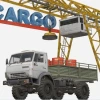
The Cargo is an engaging free online browser game where players take control of a crane to load cargo onto a truck and then drive it to a destination warehouse. This unblocked game challenges your precision and speed as you manage the loading and delivery process efficiently. The game combines simulation with time management, making it a fun and addictive experience perfect for players looking to play now without downloads. With simple controls adapted for both desktop and mobile, The Cargo ensures accessibility for all players.
Gameplay & Features
- Control the crane using keyboard or on-screen buttons to pick up and place cargo precisely.
- Drive the truck through various levels to deliver cargo to the warehouse before time runs out.
- Earn money by completing deliveries quickly and accurately, unlocking upgrades for your truck.
- Achievements add an extra layer of challenge and replayability.
- Supports both desktop controls (WASD/arrow keys and spacebar) and mobile touch controls for seamless gameplay.
- Realistic physics make cargo handling a satisfying and skill-based experience.
- Free and unblocked, allowing you to play anytime in your browser without restrictions.
- Simple yet engaging graphics optimized for smooth performance on multiple devices.
Related & Series Games
If you enjoy The Cargo, you might like these web-based browser games with similar easy-to-learn controls and addictive gameplay. Tomb of the Mask offers fast-paced arcade action with intuitive keyboard or touch controls, perfect for quick gaming sessions. Kick the Buddy provides a stress-relief experience featuring interactive objects controlled by mouse or taps. Escaping the Prison challenges your puzzle-solving skills using keyboard or touch inputs to navigate tricky scenarios. Finally, Stickman Army The Resistance combines strategy and action with simple controls suited for both desktop and mobile players. Each game is designed to be easily accessible and highly engaging in your browser.
Tips & Strategies
- Master the crane controls by practicing smooth movements using arrow keys or WASD for precise cargo placement.
- Use the spacebar or touch button to attach and detach cargo carefully to avoid drops and delays.
- Plan your route to the warehouse to minimize driving time and increase your score.
- Upgrade your truck promptly to improve speed and handling for tougher levels.
- Focus on quick, accurate deliveries to unlock achievements and earn more in-game money.
- Take advantage of the mobile controls for intuitive gameplay on the go.
Game Elements
- Crane: The primary tool for lifting and moving cargo.
- Cargo Boxes: Various sizes to handle, requiring careful control.
- Truck: Used to transport cargo to the warehouse, upgradeable for better performance.
- Warehouse: The delivery destination where cargo must be unloaded.
- Controls: Keyboard (WASD/arrow keys, spacebar) and mobile touch buttons for crane and truck operation.
FAQ
Is The Cargo free to play?
Yes, it is a completely free online browser game.
Can I play The Cargo unblocked?
Yes, The Cargo is designed to be unblocked for easy access at school or work.
Do I need to download anything?
No downloads are required; just open your browser and play now.
Are there mobile controls?
Yes, on-screen buttons allow you to control the crane and truck on mobile devices.
What keys do I use on desktop?
Use arrow keys or W, A, S, D to move; spacebar to attach/detach cargo.