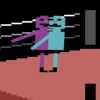
Dunkers
How to Play Dunkers
1. Open the game in your preferred web browser on desktop or mobile.
2. Use the Arrow Keys to move your character left or right.
3. Press the Up Arrow key to jump and swing your arms to bounce higher.
4. Pick up the basketball by moving over it and use your momentum to jump towards the hoop.
5. Aim to score baskets by timing your jumps and swings precisely.
6. In Career mode, complete levels to unlock new characters like Froggo, Timmy, and Nerdo.
7. For 2-Player mode, each player uses their own set of arrow keys or keyboard controls to compete locally.
8. On mobile devices, tap and swipe controls replicate movement and jumping actions.
9. Keep practicing to improve your timing and master the physics-based gameplay.
10. Enjoy the game free and unblocked anytime, anywhere directly in your browser.
What is Dunkers?
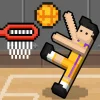
Dunkers is a free online physics-based basketball browser game developed by Colin Lane Games. It offers an engaging arcade experience where players control quirky characters like Pinko, Froggo, Timmy, and Nerdo to score baskets by swinging their arms and jumping. The game features both Career and 2-Player modes, allowing for solo play or competitive matches against friends. Its simple yet challenging gameplay makes it a popular choice for quick, fun sessions on any device.
Gameplay & Features
- Physics-driven basketball mechanics that require timing and precision
- Multiple characters each with unique animations and style
- Career mode with progressive difficulty and unlockable content
- 2-Player mode supporting local multiplayer competition
- Simple controls using arrow keys for movement and jumping
- Free to play online without downloads or installations
- Accessible on desktop and mobile browsers, unblocked for school or work
- Fast-paced arcade action perfect for casual gamers
Related & Series Games
If you enjoy Dunkers, check out City Dunk, a dynamic basketball game with urban courts and smooth keyboard or touch controls that add new challenges. Dunk Brush offers a creative twist by combining basketball with painting mechanics, making it a colorful and interactive browser game. For a rhythm-based challenge, Tap Tap Dunk tests your timing and reflexes with tap controls suited for mobile players. These games keep the fun going with varied gameplay styles while maintaining easy-to-learn controls.
Tips & Strategies
- Master timing your jumps to bounce higher and reach difficult baskets
- Use momentum from swinging arms to control your trajectory
- Practice in Career mode to unlock new characters and improve skills
- In 2-Player mode, anticipate opponents’ moves to block or steal the ball
- Stay patient; physics-based controls reward precision over speed
- Experiment with different characters to find one that suits your playstyle
Game Elements
- Characters: Pinko, Froggo, Timmy, Nerdo
- Objects: Basketball, hoops, court boundaries
- Controls: Arrow keys for movement and jump
- Modes: Career, 2-Player local multiplayer
- Environment: Simple arcade-style basketball courts
FAQ
Is Dunkers free to play?
Yes, Dunkers is a free online browser game.
Can I play Dunkers online and unblocked?
Absolutely, it is accessible as an unblocked game on most networks.
What controls do I use to play Dunkers?
Use the arrow keys to move and jump; suitable for keyboard and touch controls.
Is there a multiplayer option?
Yes, you can play against friends in the 2-Player mode.
Do I need to download anything?
No downloads are required; play now directly in your browser.