Wheelie Bike
How to Play Wheelie Bike
To start performing wheelies, use your mouse or touch screen:
- Desktop: Click and hold the mouse button to lift the bike’s front wheel, release to lower it.
- Mobile: Touch and hold the screen to raise the front wheel, then release to bring it down.
Do not hold the control for too long; instead, use quick, serial taps to maintain balance and keep the bike steady. The objective is to ride the bike as far as possible while keeping the front wheel in the air. Avoid sudden or prolonged presses that could cause you to lose control and crash. Practice timing your taps to smoothly pedal forward and break your distance record. Play now and enjoy this engaging free and unblocked browser game experience!
What is Wheelie Bike?
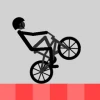
Wheelie Bike is a thrilling free online browser game that challenges players to master the art of riding a bike on its rear wheel. This addictive skill game is perfect for cycling enthusiasts and casual gamers alike, offering a realistic physics-based experience that requires patience and precision. The goal is simple yet challenging: keep the front wheel lifted while navigating forward to achieve the longest distance possible. Available as an unblocked game, Wheelie Bike lets you play now on any device with mouse or touch controls, making it accessible anytime and anywhere.
Gameplay & Features
- Realistic physics-engine that simulates bike balance and movement.
- Simple controls: hold to lift the front wheel and release to lower it.
- Touch and mouse support for seamless play on both desktop and mobile.
- Incremental difficulty as maintaining balance becomes more challenging over longer distances.
- Score tracking to encourage players to beat their personal bests.
- Lightweight and unblocked for instant play in any browser.
- Engaging visual feedback that enhances immersion without distractions.
Related & Series Games
If you enjoy Wheelie Bike, be sure to check out Wheelie Bike 2, a worthy sequel that expands on the original with refined controls and new challenges. Wheelie Bike 2 keeps the core mechanics of balancing on the rear wheel but adds more dynamic environments and responsive keyboard controls, making it a thrilling experience for both desktop and mobile players. The sequel also introduces enhanced graphics and a smoother physics engine, perfect for those who want to test their skills further. Both games are free, online, and unblocked, allowing you to play now without any hassle.
Tips & Strategies
- Use short, controlled taps rather than holding the control continuously to maintain balance.
- Focus on steady pacing instead of speed to avoid sudden crashes.
- Practice makes perfect—start slow to get a feel for the physics before attempting longer distances.
- Stay relaxed and anticipate the bike’s movement to adjust your timing.
- Utilize both mouse and touch controls to find what works best for you.
Game Elements
- Bike with realistic wheel and pedal physics.
- Score counter to track distance traveled.
- Simple user interface with minimal distractions.
- Mouse and touch input handlers for control.
- Background environment that subtly shifts to indicate progress.
FAQ
Is Wheelie Bike free to play?
Yes, it is completely free and available online.
Can I play Wheelie Bike on mobile devices?
Absolutely, the game supports touch controls for mobile gameplay.
Is Wheelie Bike unblocked at school or work?
Yes, it is an unblocked browser game designed for easy access on most networks.
Do I need to download anything?
No downloads required, just open your browser and play now.
What controls are used?
Mouse clicks or screen taps to lift and lower the bike’s front wheel.