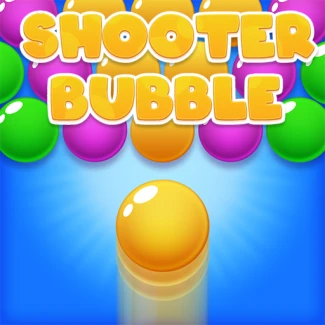
Shooter Bubble
How to Play Shooter Bubble
Start the game in your browser and aim the bubble shooter cannon using your mouse or touch screen. On desktop, move your mouse to adjust the angle and click the left mouse button to shoot bubbles toward matching colors. Alternatively, you can use the keyboard arrow keys or the WASD keys to aim and press spacebar to shoot.
On mobile devices, tap and drag your finger on the screen to aim, then release to fire the bubble. Try to create groups of three or more bubbles of the same color to pop them and clear the board.
Watch the upcoming bubble color indicator to plan your shots strategically. Use power-ups by clicking or tapping their icons when available. Clear all bubbles before they descend too far to avoid losing the game. Enjoy the fast-paced, addictive bubble popping action anytime, anywhere.
What is Shooter Bubble?
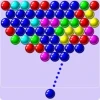
Shooter Bubble is an engaging and colorful bubble shooter browser game that invites players to enjoy endless popping fun for free. This online game requires no downloads, allowing users to jump straight into action on any device with a web browser. With its intuitive controls and vibrant graphics, Shooter Bubble offers a relaxing yet challenging experience suitable for players of all ages. The goal is to strategically shoot bubbles to match colors and clear the board, testing your precision and planning skills.
Gameplay & Features
- Classic bubble shooter mechanics with smooth aiming and shooting controls.
- Multiple levels with increasing difficulty and diverse bubble arrangements.
- Colorful bubbles and visually appealing animations for a satisfying popping effect.
- Free to play online and unblocked, accessible from school or work networks.
- Responsive design optimized for both desktop mouse control and mobile touch gestures.
- Power-ups and special bubbles that enhance gameplay and add strategic depth.
- Score tracking and leaderboard features to challenge yourself and friends.
- Fast-paced rounds that encourage quick thinking and accuracy.
- No installation needed, perfect for a quick gaming session anytime.
Related & Series Games
If you enjoy Shooter Bubble, you might also love other exciting browser-based shooting games. Time Shooter 3: SWAT offers intense tactical action with easy keyboard controls, perfect for fans of fast-paced shooting. For those who prefer chaotic multiplayer fun, Crazy Shooters 2 delivers a wild blend of shooting and strategy with smooth mouse and keyboard gameplay. Sharpen your precision in Sniper Gun Shooting, a game focused on long-range accuracy and timing, playable with mouse or touch. Lastly, Penalty Shooters 2 combines the thrill of penalty kicks with shooter mechanics, ideal for both keyboard and touchscreen users. These titles complement Shooter Bubble by offering varied shooting challenges accessible directly in your browser.
Tips & Strategies
- Focus on clearing bubbles from the top to prevent the cluster from descending.
- Plan your shots to create combos by popping multiple bubbles at once for higher scores.
- Use power-ups wisely to maximize their effects and clear difficult sections.
- Practice aiming steadily using mouse or touch to improve accuracy.
- Keep an eye on the upcoming bubble color to strategize your next moves.
- Stay calm under pressure and avoid rushing shots to maintain control.
Game Elements
- Bubbles in various vibrant colors to match and pop.
- Shooter cannon controlled by mouse, keyboard (arrow keys or WASD), or touch gestures.
- Power-ups like bombs, color changers, and aiming guides.
- Scoreboard displaying points and progress.
- Level timer and bubble cluster that descends gradually.
FAQ
Is Shooter Bubble free to play?
Yes, Shooter Bubble is completely free and accessible online.
Can I play Shooter Bubble unblocked?
Yes, this browser game is unblocked and playable on most networks.
Do I need to download anything?
No downloads are required; just open your browser and play now.
Is Shooter Bubble playable on mobile devices?
Yes, it supports touch controls for smooth gameplay on smartphones and tablets.
What controls does the game use?
You can use mouse, keyboard (WASD or arrow keys), or touch gestures depending on your device.