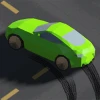
Swerve
How to Play Swerve
Start the game in your browser and get ready to control your car on twisting roads. The car automatically moves forward, and your task is to change its direction to avoid falling off the road.
- Desktop Controls: Press the spacebar or left mouse click to switch the car’s direction from left to right or vice versa.
- Mobile Controls: Tap anywhere on the screen to instantly change the car’s direction.
Timing is crucial—click or tap just before the car reaches the edge to swerve safely onto the next path. The roads are randomly generated each time, so stay alert and adapt quickly. Keep playing to improve your reaction speed and achieve higher scores!
What is Swerve?
Swerve is a fast-paced reaction car game that challenges players to navigate a constantly changing road by simply clicking or tapping to switch the car's direction. The game features randomly generated roads every time you play, ensuring a fresh and unpredictable experience. Perfect for quick sessions, Swerve is designed as a free, online, unblocked browser game accessible to anyone wanting to test their reflexes and timing skills.
Gameplay & Features
- Simple one-click or tap controls make it easy to play on both desktop and mobile devices.
- Randomly generated roads provide endless replayability and challenge.
- Focus on timing your swerves perfectly to avoid crashing.
- Minimalistic design keeps the gameplay straightforward and engaging.
- Compatible with keyboard (spacebar or mouse click) and touch controls for seamless play now access.
- Fast loading and unblocked status ensure you can play anytime, anywhere.
- Score tracking motivates players to beat their personal bests.
Related & Series Games
If you enjoy Swerve’s simple yet addictive gameplay, check out these similar browser games that offer unique twists on reaction and timing mechanics. Game One enhances the challenge with multi-lane roads and keyboard controls using WASD keys. Game Two introduces power-ups that can be activated by tapping on mobile devices or clicking with the mouse. Game Three offers a competitive multiplayer mode where quick reflexes on keyboard or touchscreens decide the winner. These titles maintain the free, online, unblocked accessibility, allowing you to jump right in and play now without downloads. Each game is designed for browser play, ensuring smooth controls whether you prefer keyboard or touchscreen input.
Tips & Strategies
- Focus on rhythm and timing rather than speed to avoid sudden crashes.
- Practice switching directions just before the car reaches a turn for smoother navigation.
- Use headphones to catch audio cues that can help with timing your swerves.
- On mobile, use quick taps to maintain control without oversteering.
- Stay calm and avoid panicking as the road speeds up to improve your high score.
Game Elements
- Player-controlled car that responds instantly to clicks or taps.
- Randomly generated road obstacles and turns.
- Score counter showing your current and best scores.
- Simple user interface optimized for browser gameplay.
- Support for mouse, keyboard (spacebar), and touch input.
FAQ
Is Swerve free to play?
Yes, Swerve is completely free to play online.
Can I play Swerve on my phone?
Absolutely, the game supports touch controls for mobile devices.
Is Swerve unblocked at school or work?
Yes, it is designed as an unblocked browser game accessible in most restricted environments.
Do I need to download anything?
No downloads are required; just open your browser and play now.
What controls does Swerve use?
You can use mouse clicks, the spacebar on keyboard, or taps on mobile screens to change direction.