3D Car Simulator
How to Play 3D Car Simulator
- Drive: Use WASD keys or arrow keys to steer your vehicle.
- Change Vehicle: Press keys 1, 2, or 3 to switch between rally car, muscle car, and exotic police car.
- Handbrake: Press Spacebar to perform sharp turns or drifts.
- Change View: Press C to cycle through different camera angles including first-person and scenic views.
- Shift Vehicle: Hold Shift key to shift gears for faster acceleration.
- Reset Game: Press R to restart the current game session.
- Reset Vehicle: Press G to reset your car if it gets stuck.
- Police Lights: Press E to toggle police lights on exotic police vehicles.
- Mobile Controls: Use on-screen joystick for steering, tap buttons for handbrake, view change, and vehicle switching.
What is 3D Car Simulator?
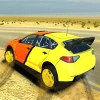
3D Car Simulator is an exciting free online racing browser game that lets you drive a variety of high-speed vehicles across realistic Earth terrains. Experience the thrill of steering rally cars, exotic police vehicles, and powerful muscle cars, each with distinct handling and performance characteristics. The game features dynamic camera angles, including a first-person view that immerses you as if you’re riding a high-speed motorbike. Perfect for players seeking an unblocked, engaging driving experience, 3D Car Simulator allows you to share the fun and play now with friends online.
Gameplay & Features
- Drive multiple vehicle types: rally cars, muscle cars, and exotic police cars with unique handling.
- Switch between different camera views including first-person and scenic third-person angles.
- Use realistic controls such as WASD or arrow keys for driving and spacebar for handbrake maneuvers.
- Engage police lights with the E key for added excitement.
- Reset vehicles or the game anytime using dedicated keys (R and G).
- Enjoy smooth keyboard controls optimized for browser play and mobile-friendly touch gestures.
- Explore diverse maps and terrains that challenge your driving skills.
- Customize your driving experience by shifting vehicles and changing views on the fly.
- Compete or collaborate with friends in an unblocked online environment.
Related & Series Games
If you enjoy 3D Car Simulator, explore other thrilling browser games that offer similar engaging mechanics and intuitive keyboard or touch controls. These sequels and related titles expand on the driving experience with new vehicles, improved physics, and additional challenges. Each game is designed for seamless play on both desktop and mobile devices, making them perfect for quick gaming sessions anytime, anywhere. Dive into these games to master your driving skills and enjoy hours of free, unblocked fun directly in your browser.
- Speed Racer Ultimate
- Offroad Rally Challenge
- Police Pursuit Simulator
Tips & Strategies
- Use the handbrake (Space) to perform sharp turns and drifts for better control on tight corners.
- Switch camera angles frequently to get the best view of the terrain and upcoming obstacles.
- Master shifting vehicles with the Shift key to optimize speed and handling for different cars.
- Activate police lights (E) to add excitement and draw attention during high-speed chases.
- Reset your vehicle (G) if stuck to avoid losing time during races.
- Practice on various maps to familiarize yourself with terrain differences and improve lap times.
Game Elements
- Modified vehicles including rally cars, muscle cars, and exotic police cars.
- Multiple camera perspectives: first-person, third-person, and scenic views.
- Responsive keyboard controls and mobile touch compatibility.
- Handbrake, vehicle shift, and reset functions for enhanced gameplay.
- Interactive police lights feature for immersive role-playing.
- Realistic physics engine providing distinct vehicle handling and acceleration.
FAQ
Is 3D Car Simulator free to play?
Yes, it’s a completely free browser game accessible online.
Can I play 3D Car Simulator unblocked at school or work?
The game is designed to be unblocked and playable on most networks.
Do I need to download anything?
No downloads required; just open your browser and play now.
Are there multiplayer features?
You can share the game link and play together with friends online.
Which controls does the game support?
Keyboard controls (WASD, arrow keys, spacebar) and mobile touch gestures are fully supported.