Duck Duck Clicker
How to Play Duck Duck Clicker
Step 1: Open the game in your preferred browser—no downloads needed.
Step 2: Use the left mouse button to click on the adorable duck repeatedly.
Step 3: Accumulate points with every click to unlock fun accessories and costumes.
Step 4: On mobile devices, simply tap the duck to generate clicks.
Step 5: Customize your duck using the in-game menu by selecting unlocked items.
Step 6: Continue clicking to earn more points and unlock additional features.
Step 7: Enjoy the relaxing gameplay and feel free to take breaks to avoid clicking fatigue.
What is Duck Duck Clicker?
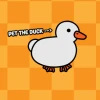
Duck Duck Clicker is a charming and addictive free online browser game that invites players to engage in endless clicking fun centered around irresistibly cute ducks. Perfect for casual gamers looking to relax and enjoy a low-pressure experience, this unblocked game offers a silly yet satisfying way to pass the time. Players tap or click to rack up points, unlocking a variety of cosmic customizations that let them dress their duck in wacky, stylish, or bizarre accessories. Its simple mechanics and delightful visuals make it an ideal choice for anyone wanting to play now without complicated setups or downloads.
Gameplay & Features
- Endless clicking gameplay that keeps you engaged and entertained for hours.
- Adorable duck characters that bring a cute and whimsical charm to the game.
- Cosmic customization options including hats, glasses, and quirky costumes to personalize your feathered friend.
- Relaxing and chill atmosphere with no time limits or pressure, perfect for stress relief.
- Intuitive controls using the left mouse button or touch taps for mobile devices.
- Point accumulation system encouraging continuous play to unlock more features.
- Browser-based, requiring no downloads or installations, playable on most devices.
- Unblocked access ensures you can enjoy it at school or work without restrictions.
- Engaging sound effects and animations that enhance the clicking satisfaction.
- Lighthearted and humorous tone that makes the game fun for all ages.
Related & Series Games
If you love the quirky and fun world of Duck Duck Clicker, you’ll enjoy exploring other web-based duck-themed games like Duck Life, which combines training and racing mechanics using keyboard controls for an immersive experience. Ducklings io offers fast-paced multiplayer action perfect for quick sessions on either keyboard or touch devices. For those who want to dive deeper into duck adventures, Duck Life 2 continues the series with enhanced gameplay and new challenges that are easy to navigate with simple controls. Lastly, Duck Life: Treasure Hunt adds an exciting treasure-seeking twist, requiring players to use keyboard inputs or touch to explore and collect items. Each title maintains smooth, browser-based gameplay designed for both casual and dedicated players.
Tips & Strategies
- Keep a steady clicking rhythm to maximize your point accumulation efficiently.
- Focus on unlocking customization options early to enhance your duck’s appearance and keep motivation high.
- Use breaks between clicking sessions to avoid fatigue and maintain accuracy.
- Take advantage of the chill gameplay to relax and enjoy the process rather than rushing.
- Experiment with different accessories to find combinations that boost your enjoyment and engagement.
Game Elements
- Cute duck characters as the central figures of gameplay.
- Points system that rewards continuous clicking.
- Customization items such as hats, glasses, and costumes.
- Simple UI designed for mouse and touch input.
- Visual and sound effects that provide satisfying feedback.
FAQ
Is Duck Duck Clicker free to play?
Yes, it is completely free and accessible online.
Can I play Duck Duck Clicker unblocked at school or work?
Yes, this browser game is unblocked and easy to access from most networks.
Do I need to download anything?
No downloads are required; simply open your browser and play now.
Is Duck Duck Clicker available on mobile devices?
Yes, it supports touch controls for smooth play on smartphones and tablets.
What controls do I use?
Use the left mouse button on PC or tap on mobile devices to interact.