Draw To Fly
How to Play Draw To Fly
1. Use your mouse or touch screen to draw wings or lines that will guide your character’s flight path.
2. On desktop, you can also use the WASD keys to adjust flight direction and speed once airborne.
3. Draw within the ink limit shown to create effective wings that help you avoid traps and reach the finish line.
4. Release the mouse button or lift your finger to launch your character into flight along the drawn path.
5. Observe obstacles carefully before each attempt and adjust your drawings accordingly.
6. Complete each level by reaching the goal without hitting any traps or falling.
7. Retry levels to improve your drawing strategy and achieve higher scores.
What is Draw To Fly?
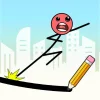
Draw To Fly is a captivating free online browser game that challenges players to unleash their creativity by drawing lines that help their character navigate through intricate levels. This unblocked game combines puzzle-solving with fast-paced action, requiring players to think quickly and design effective flight paths to avoid traps and obstacles. Perfect for all ages, it offers endless entertainment and brain-teasing challenges that stimulate imagination and strategic thinking.
Gameplay & Features
- Draw custom lines to create wings or pathways for your character to fly.
- Navigate through various levels filled with traps, barriers, and moving obstacles.
- Intuitive controls suitable for keyboard and touch devices.
- Progressively challenging puzzles that test creativity and problem-solving skills.
- Bright, engaging graphics with smooth animations.
- Play now without downloads or installations directly in your browser.
- Unblocked access ensures you can enjoy the game anywhere, anytime.
- Free to play with no hidden costs or ads interrupting gameplay.
Related & Series Games
If you enjoy Draw To Fly, you’ll love exploring similar web-based browser games like Draw Climber, where you design legs to help your character walk and race through challenging tracks using keyboard or touch controls. Draw Brige Puzzle invites you to build bridges by drawing structures that support your vehicle’s safe passage, combining physics-based puzzles with creative problem-solving. For a more adventurous experience, Draw The Hill lets you draw wheels and shapes to scale hills and overcome obstacles with precise control and timing. Each game offers unique mechanics focused on drawing and creativity, perfect for quick play sessions or extended gameplay on any device.
Tips & Strategies
- Plan your drawings carefully to avoid wasting ink and maximize flight distance.
- Use short, sharp lines to quickly dodge traps and long smooth curves for steady gliding.
- Observe obstacle patterns before drawing to anticipate challenges.
- Practice timing your drawing and flying to improve success rates.
- Experiment with different wing shapes to find what works best for each level.
Game Elements
- Drawing tool: Use mouse or touch input to sketch wings or flight paths.
- Character: The player-controlled figure that flies based on your drawings.
- Obstacles: Spikes, moving traps, and barriers that require creative navigation.
- Levels: Increasingly difficult stages with unique puzzle layouts.
- Ink meter: Limits the amount you can draw per level, encouraging strategic use.
FAQ
Is Draw To Fly free to play?
Yes, it is completely free and accessible online.
Can I play Draw To Fly unblocked at school or work?
Yes, this browser game is unblocked and can be played on most networks.
Do I need to download anything?
No downloads are required; simply play now in your browser.
What controls does the game support?
You can use mouse, keyboard (WASD), or touch controls on mobile devices.
Is Draw To Fly suitable for all ages?
Yes, it’s family-friendly and great for players of all skill levels.