Block Connect
How to Play Block Connect
Follow these simple steps to enjoy Block Connect and sharpen your puzzle skills:
- Step 1: Identify pairs of matching colored tiles on the grid.
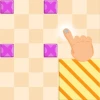
- Step 2: Using your mouse, click on a block piece and drag it to connect to its matching tile without crossing other lines.
- Step 3: On mobile devices, tap and hold a block piece, then drag your finger to form a continuous path to the matching tile.
- Step 4: Complete all connections to light up the entire board and clear the level.
- Step 5: If you make a mistake, simply drag blocks back or start over to try again.
- Controls Summary: Mouse – Click and drag; Mobile Touch – Tap and drag.
- Tips: Plan your paths before connecting to avoid overlapping lines.
What is Block Connect?
Block Connect is a captivating minimalist puzzle game where players draw continuous paths between matching colored tiles without overlapping lines. This online browser game tests your spatial awareness and pattern recognition as you strategically drag and drop block pieces on a grid to light up the entire board. Suitable for all ages, Block Connect offers addictive gameplay that keeps you engaged for hours. Its clean design and intuitive mechanics make it perfect for quick sessions or extended play. Enjoy this free, unblocked game anytime, anywhere, directly from your browser without downloads.
Gameplay & Features
- Connect matching colored blocks by drawing continuous lines without crossing paths.
- Drag and drop block pieces using mouse or touch controls for seamless gameplay.
- Multiple levels with increasing difficulty to challenge your logic and planning skills.
- Minimalist and clean graphics to keep focus on puzzle-solving.
- Responsive design compatible with desktop and mobile devices.
- Simple controls: click and drag with mouse or tap and drag on mobile.
- Engaging and relaxing soundtrack enhancing the puzzle experience.
- Free to play online with no installation required.
- Unblocked access makes it ideal for playing at school or work.
- Progressive challenge encourages replayability and skill improvement.
Related & Series Games
If you enjoy Block Connect, you’ll love exploring its related titles that expand on similar puzzle and block mechanics. Block Blast Puzzle offers explosive block-matching gameplay perfect for quick reflexes and strategic planning. For a more tactile experience, Wood Block 3D lets you stack and balance blocks in a visually immersive 3D environment, ideal for touch and keyboard controls. Fans of dynamic movement will appreciate Stickman Parkour 2: Lucky Block, combining parkour action with block elements for an exciting browser game adventure. Finally, Block Craft 3D invites players to build and explore worlds made entirely of blocks, blending creativity with puzzle-solving in a free online setting. Each game supports intuitive controls that work well with mouse, keyboard, or touchscreens, ensuring smooth gameplay across devices.
Tips & Strategies
- Plan your path carefully to avoid crossing lines, which will block progress.
- Start connecting pairs with fewer options first to reduce complexity.
- Use the edges and corners of the grid to your advantage for easier routing.
- Keep an eye on the entire board to anticipate future moves.
- Practice on easier levels to improve pattern recognition and spatial skills.
- Take breaks if stuck; fresh eyes help spot new solutions.
- Utilize both mouse and touch controls depending on your device for better precision.
Game Elements
- Colored tiles representing pairs to connect.
- Grid-based board where blocks are placed.
- Continuous lines that connect matching tiles without crossing.
- Block pieces that can be dragged and dropped into place.
- Visual indicators lighting up tiles when connected correctly.
- Timer or move counter (if applicable) to increase challenge.
FAQ
Is Block Connect free to play?
Yes, it is completely free to play online.
Can I play Block Connect on mobile devices?
Absolutely, it supports touch controls for smartphones and tablets.
Is the game unblocked for school or work?
Yes, it is accessible as an unblocked browser game.
Do I need to download or install anything?
No, you can play directly in your browser without downloads.
What controls does the game use?
Use mouse click and drag on desktop or tap and drag on mobile devices.