Wood Block 3D
How to Play Wood Block 3D
Playing Wood Block 3D is simple and intuitive across all devices. Follow these steps to get started:
- Desktop: Use your mouse to click and hold a block piece from the selection area.
- Drag the piece anywhere on the grid and release to place it.
- Use the power-up buttons to rotate a piece or remove one if you get stuck.
- Plan carefully to fill entire rows or columns to clear them and earn points.
- Mobile: Tap and hold a block piece to pick it up.
- Drag your finger to move the piece across the grid and lift your finger to place it.
- Tap power-up icons to rotate or remove pieces as needed.
- Strategize your placements to create combos and maximize your high score.
The game does not require keyboard input, but on devices with keyboards, arrow keys or WASD do not affect gameplay. The focus is on drag-and-drop with mouse or touch gestures for a smooth experience.
What is Wood Block 3D?
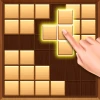
Wood Block 3D is a captivating block puzzle game developed by Infinity Games that revitalizes the classic Tetris formula. Unlike traditional Tetris, this game allows you to place blocks anywhere on a spacious grid, offering more freedom and strategic depth. With three pieces available at a time, players drag and drop blocks to fill entire rows or columns to clear them and score points. The game features a calming wooden aesthetic and 3D visuals, making it both relaxing and mentally stimulating. It’s designed to be accessible as a free, online, unblocked browser game, perfect for quick brain workouts or longer play sessions.
Gameplay & Features
- Drag-and-drop mechanics for intuitive control on both desktop and mobile devices.
- Three puzzle pieces presented simultaneously to plan ahead and strategize.
- Clear full rows or columns to earn points and increase your score multiplier.
- Power-ups available to rotate pieces or remove unwanted blocks, adding tactical options.
- Combo chains reward skilled placement and enhance scoring potential.
- Smooth 3D wooden block visuals that provide a relaxing gaming atmosphere.
- Free to play, no downloads required, accessible on any modern browser.
- Unblocked gameplay ideal for schools or workplaces where gaming sites may be restricted.
- Supports mouse drag on PC and touch gestures on mobile for versatile play.
- Progressively challenging as the grid fills, encouraging strategic thinking and planning.
Related & Series Games
If you enjoy Wood Block 3D, you might also appreciate other engaging block puzzle games that challenge your spatial awareness and planning skills. These browser-based titles offer smooth keyboard and touch controls, making them perfect for quick sessions or longer play. Explore similar games to sharpen your puzzle-solving abilities and enjoy varied gameplay mechanics that keep the experience fresh and exciting.
- Wood Blocks 2 enhances the original with new block shapes and power-ups that increase complexity and fun.
- Wood Blocks 3D Deluxe introduces timed challenges and multiplayer modes for competitive play.
- Classic Block Puzzle offers a nostalgic experience with keyboard controls and a minimalist design ideal for focus.
Tips & Strategies
- Plan your moves by previewing all three blocks to maximize space efficiency.
- Focus on creating combos by clearing multiple lines in succession for higher scores.
- Use power-ups wisely to rotate awkward pieces or remove blocks that block your progress.
- Try to keep the grid as open as possible to maintain flexibility for upcoming pieces.
- Practice drag-and-drop precision to place blocks quickly and avoid wasting time.
Game Elements
- 3D wooden block pieces of various shapes reminiscent of Tetris blocks.
- Grid board where blocks are placed freely to fill rows and columns.
- Power-up icons for rotating or removing pieces.
- Score display and combo counters to track your progress.
- Drag-and-drop interface supporting mouse and touch input.
FAQ
Is Wood Block 3D free to play?
Yes, it is completely free and accessible online without any payment.
Can I play Wood Block 3D unblocked?
Yes, the game is designed to be unblocked and playable on most school and work networks.
Do I need to download anything?
No downloads are required; it runs directly in your browser.
Is it available on mobile devices?
Yes, it supports touch controls for smartphones and tablets.
What controls are used?
Drag and drop with mouse on PC or touch gestures on mobile devices.