Master Balance
How to Play Master Balance
Master Balance is simple to learn but challenging to master. Follow these steps to get started:
- Use your mouse to click and drag objects onto the platform.
- Position each block or plank carefully by moving your cursor before releasing it to place the item.
- On mobile devices, tap and drag with your finger to move and drop objects precisely where you want them.
- Focus on creating a stable base first by stacking larger blocks at the bottom.
- Gradually add smaller or oddly shaped pieces to fill gaps and improve balance.
- Watch the platform’s wobble and adjust your placement timing to avoid toppling your stack.
- If the stack collapses, click or tap the restart button to try the level again quickly.
- Progress through increasingly difficult levels by mastering balance and precision.
Enjoy this free, online, unblocked browser game anytime and improve your skills with each attempt!
What is Master Balance?
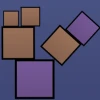
Master Balance is a free, online physics-based puzzle game that tests your precision and focus by challenging you to stack various shapes and objects perfectly. This addictive browser game requires players to balance blocks, planks, and other odd-shaped items on unstable platforms without causing them to topple. Each level introduces new shapes and increasingly tighter spaces, pushing your strategic thinking and steady hand to the limit. Designed for quick play sessions or extended challenges, Master Balance is an unblocked game you can play now on any device with a mouse or touchscreen. Its simple controls and engaging mechanics make it a perfect pastime for puzzle lovers seeking a mental workout in a casual format.
Gameplay & Features
- Physics-driven stacking puzzles with realistic balance mechanics
- Varied shapes including blocks, planks, and irregular objects
- Progressively challenging levels with tighter spaces and complex arrangements
- Wobbly platforms that demand careful placement and timing
- Intuitive mouse controls for desktop and touch support for mobile devices
- Free and unblocked access directly in your browser—no downloads required
- Engaging for players of all ages looking to improve concentration and dexterity
- Visual feedback on stability to help plan your next move
- Quick restart option for fast retries and better scores
Related & Series Games
If you enjoy Master Balance, check out other exciting browser games like Chef Knife Master, which focuses on fast-paced precision cutting challenges suitable for keyboard and touch controls. Football Masters offers thrilling soccer gameplay with intuitive keyboard and mobile-friendly controls to score goals and win matches. For fans of defense and action, Archer Master 3D: Castle Defense provides an immersive experience where you protect your fortress using archery skills, playable via keyboard or touch. Lastly, Stickman Weapon Master combines weapon mastery and stickman combat, designed for smooth gameplay on both desktop and mobile browsers. These games complement Master Balance by offering diverse mechanics and control schemes to keep you entertained online.
Tips & Strategies
- Place heavier and larger blocks at the bottom to create a stable foundation.
- Use smaller or oddly shaped objects to fill gaps and balance uneven stacks.
- Watch for platform movement and time your placements carefully to avoid toppling.
- Take advantage of the game’s visual stability cues to plan your next move.
- Practice patience and steady mouse or finger movements for precise placement.
- Restart quickly if a level fails to improve your strategy without frustration.
- Focus on balance over speed to progress through tougher levels efficiently.
Game Elements
- Blocks: Standard shapes such as squares and rectangles forming the core stacking elements.
- Planks: Long, thin pieces that require careful balancing to avoid tipping.
- Odd Objects: Irregular shapes that add complexity and require creative stacking solutions.
- Wobbly Platforms: Moving or unstable bases that challenge your timing and precision.
- Visual Stability Indicators: On-screen cues showing how balanced your stack is.
- Mouse Control: Primary interaction tool for placing and adjusting objects.
- Touchscreen Support: Enables gameplay on mobile devices through tap and drag gestures.
FAQ
Is Master Balance free to play?
Yes, Master Balance is completely free to play online in your browser.
Can I play Master Balance on mobile devices?
Absolutely, the game supports touchscreen controls for mobile and tablet users.
Is Master Balance unblocked at school or work?
Yes, it is an unblocked browser game accessible on most networks.
Do I need to download anything to play?
No downloads are required; just open your browser and play now.
What controls does the game use?
Use your mouse on desktop or tap and drag on mobile devices to place and balance objects.