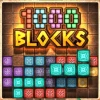
1000 Blocks
How to Play 1000 Blocks
Playing 1000 Blocks is intuitive and straightforward, making it accessible for all skill levels. Follow these steps to start clearing blocks and advancing through levels:
- Step 1: Use your mouse to click or your finger to tap on the desired location on the grid to place the falling block.
- Step 2: Strategically position blocks to fill entire horizontal or vertical lines.
- Step 3: When a full line is completed, it will clear from the board, earning you points and freeing space.
- Step 4: Continue placing blocks carefully to avoid running out of space.
- Step 5: Progress through levels by clearing as many lines as possible.
Controls Summary:
- Desktop: Mouse click to place blocks.
- Mobile: Tap the screen to place blocks.
No keyboard input is required for 1000 Blocks, but players familiar with related games may enjoy using WASD keys for movement in those titles.
What is 1000 Blocks?
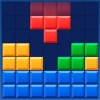
1000 Blocks is a highly engaging and free online puzzle browser game where players clear stone blocks by strategically placing shapes onto the board. The objective is to fill entire lines with these blocks to remove them and progress through increasingly challenging levels. This unblocked game offers a relaxing yet addictive experience perfect for players looking to unwind while exercising their spatial reasoning and planning skills. Playing 1000 Blocks online allows instant access without downloads or installations, making it easy to play now on any device with a browser.
Gameplay & Features
- Simple click or tap controls to place blocks on the grid.
- Multiple block shapes inspired by classic puzzle games, requiring strategic placement.
- Clear full lines horizontally or vertically to remove blocks and score points.
- Progressive difficulty with more complex shapes and limited space as levels advance.
- Relaxing yet challenging gameplay suitable for all ages and skill levels.
- Free and unblocked access anytime, anywhere on desktop or mobile browsers.
Related & Series Games
Explore similar puzzle games that sharpen your block placement skills and offer new mechanics for keyboard and touch controls. These web-based browser games provide seamless gameplay and engaging challenges that complement the 1000 Blocks experience:
Block Puzzle Classic enhances the traditional block fitting with time-based challenges and keyboard shortcuts for quick placement. Shape Stack Mania introduces stacking mechanics that require precise control, perfect for touchscreens. Line Clear Master focuses on clearing multiple lines simultaneously using WASD keys or swipe gestures. Puzzle Blocks 3D adds a three-dimensional twist to block puzzles playable with mouse drag or finger swipe. Finally, Block Fit Blitz challenges your speed and accuracy in placing blocks under time pressure on both desktop and mobile devices.
Tips & Strategies
- Plan ahead by visualizing how upcoming blocks fit into existing spaces.
- Focus on clearing multiple lines at once for higher scores.
- Keep the board as clear as possible to avoid running out of space.
- Use corners and edges strategically to place awkward-shaped blocks.
- Take your time on early levels to build confidence before advancing.
- Utilize both mouse clicks and touch taps for precise block placement.
Game Elements
- Stone blocks of various shapes including squares, lines, and L-shapes.
- A grid-based board where blocks are placed.
- Score counter tracking points from cleared lines.
- Level indicator showing progression.
- Mouse and touch controls optimized for desktop and mobile play.
FAQ
Is 1000 Blocks free to play?
Yes, it is completely free and accessible online without any payment.
Can I play 1000 Blocks on mobile devices?
Absolutely, the game supports touch controls for smartphones and tablets.
Is 1000 Blocks unblocked at schools or work?
Yes, it is designed to be unblocked for easy access in most environments.
Do I need to download anything?
No downloads are required; you can play directly in your browser.
What controls are used?
Use mouse clicks or taps to place blocks; no keyboard input is necessary but some related games support WASD keys.